Schedule request
The flight schedule contains information on scheduled regular flights. It serves as the basis for transportation planning for both airlines and passengers. The MixVel Cashier Web-Application provides schedule search and viewing functionality. This functionality is located in the "Help" section.
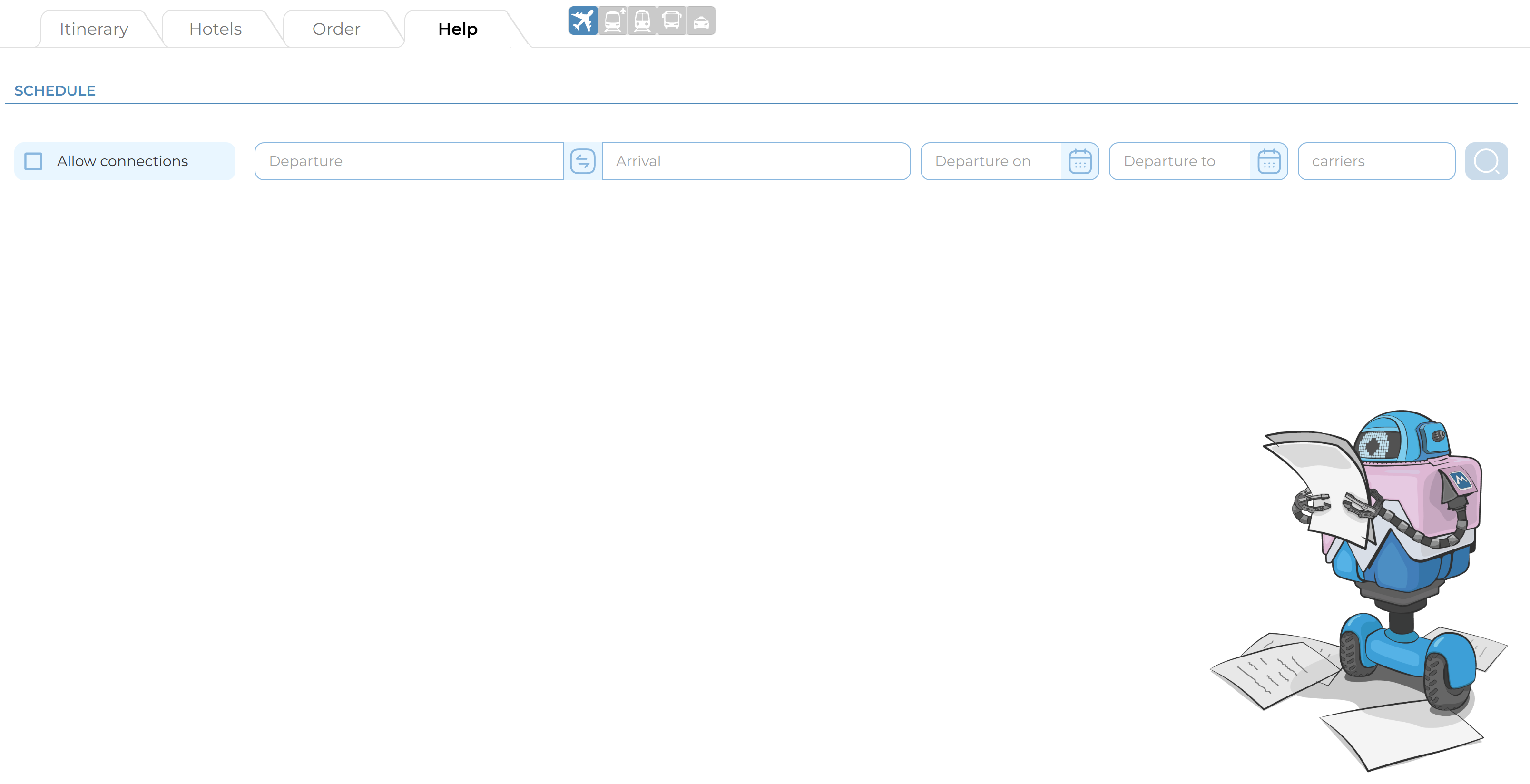
Schedule search form in the Help section
The schedule search procedure consists of the following steps:
1. Specifying the main schedule search parameters:
-
Departure — mandatory field. The value in this field defines the point of departure for the requested flights. The input logic is the same as for the field of the same name in the Itinerary section (See the section: Main Search Parameters).
-
Departure on — mandatory field. The date in this field defines the date of departure for the flights in the schedule. Manual entry (in DD.MM.YYYY format) or visual selection in the interactive calendar is permitted.
-
Arrival — optional field. The value in this field defines the point of arrival for the requested flights. The input logic is the same as for the field of the same name in the Itinerary section (See the section: Main Search Parameters).
-
Departure to — optional field. The date in this field defines the date of arrival for the flights in the schedule. Manual entry (in DD.MM.YYYY format) or visual selection in the interactive calendar is permitted.
Note: The value in the "Departure to" field cannot be earlier than the value in the "Departure from" field.
2. Configuring additional filters:
- Carriers — optional filter. The value in this field specifies a particular carrier to search for its schedule. Manual entry of IATA and TCH codes in Cyrillic or Latin characters (maximum 1 code) is permitted in this field.
Note: By default, the schedule is searched for all available carriers.
- Allow connections — optional filter. When activated, the system will request not only direct flights but also connecting flights.
Note: By default, the system requests only direct flights.
3. Running the schedule search:
Click the «Search Flights» button to retrieve the schedule according to the specified parameters.
Once the search is complete, the MixVel Cashier Web-Application will display the results in a table view.
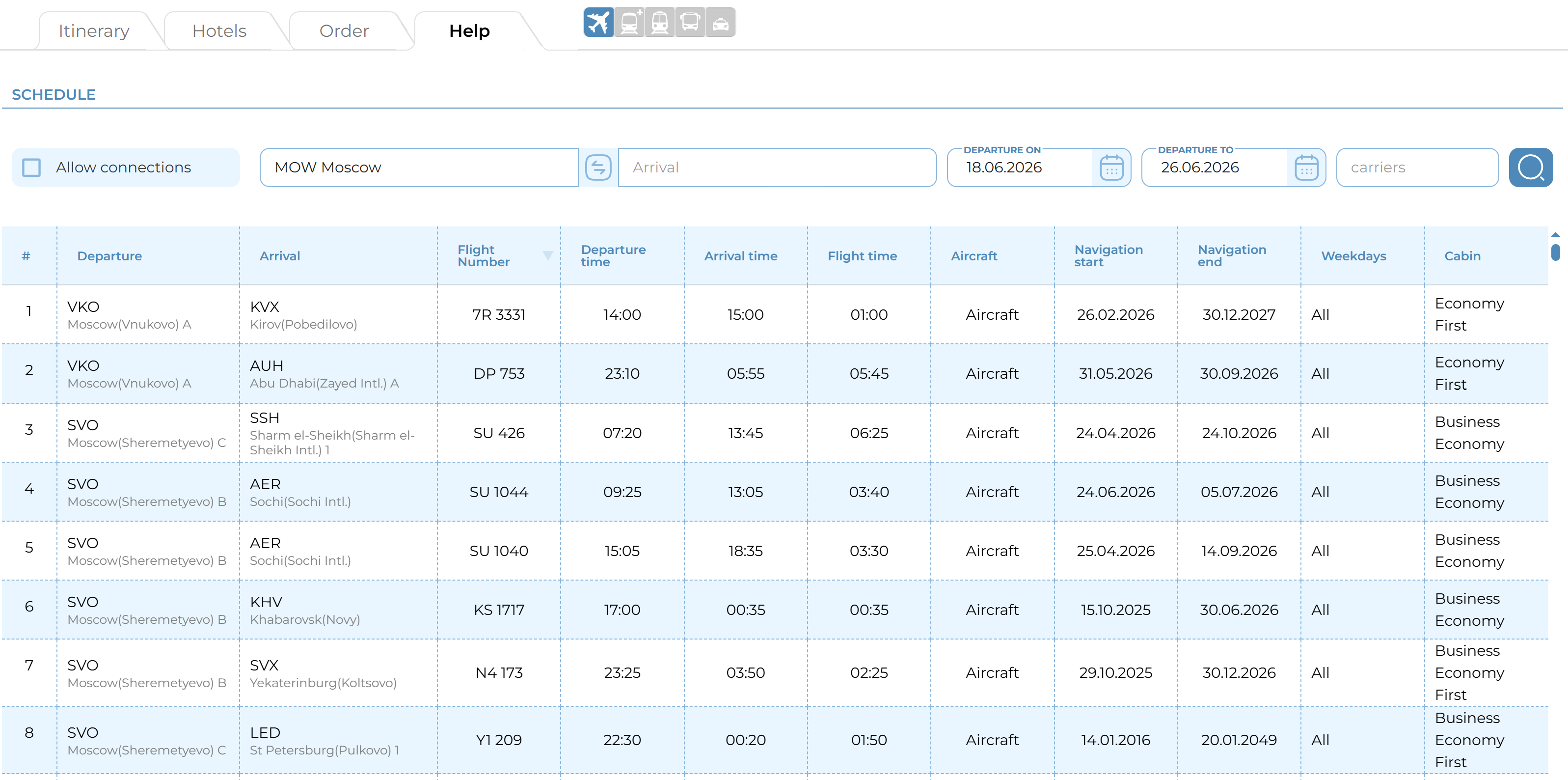
Schedule Search Results
To sort the results, click the sort button in the header of any of the following columns:
-
Flight;
-
Departure Time;
-
Arrival Time;
-
Flight Duration;
-
Navigation Start;
-
Navigation End.
Notes:
-
The range between the flight «Departure on» and «Departure to» dates must not exceed 365 days.
-
The system stores the schedule for 365 days prior to the current date and for 365 days from the current date.
-
The value in the «Departure on» field may coincide with the value in the «Departure to» field.
-
Sorting can only be enabled for one result parameter at a time.